Help Desk button Install (Ad Hoc)
1. Installation
Download the help desk button through this link:
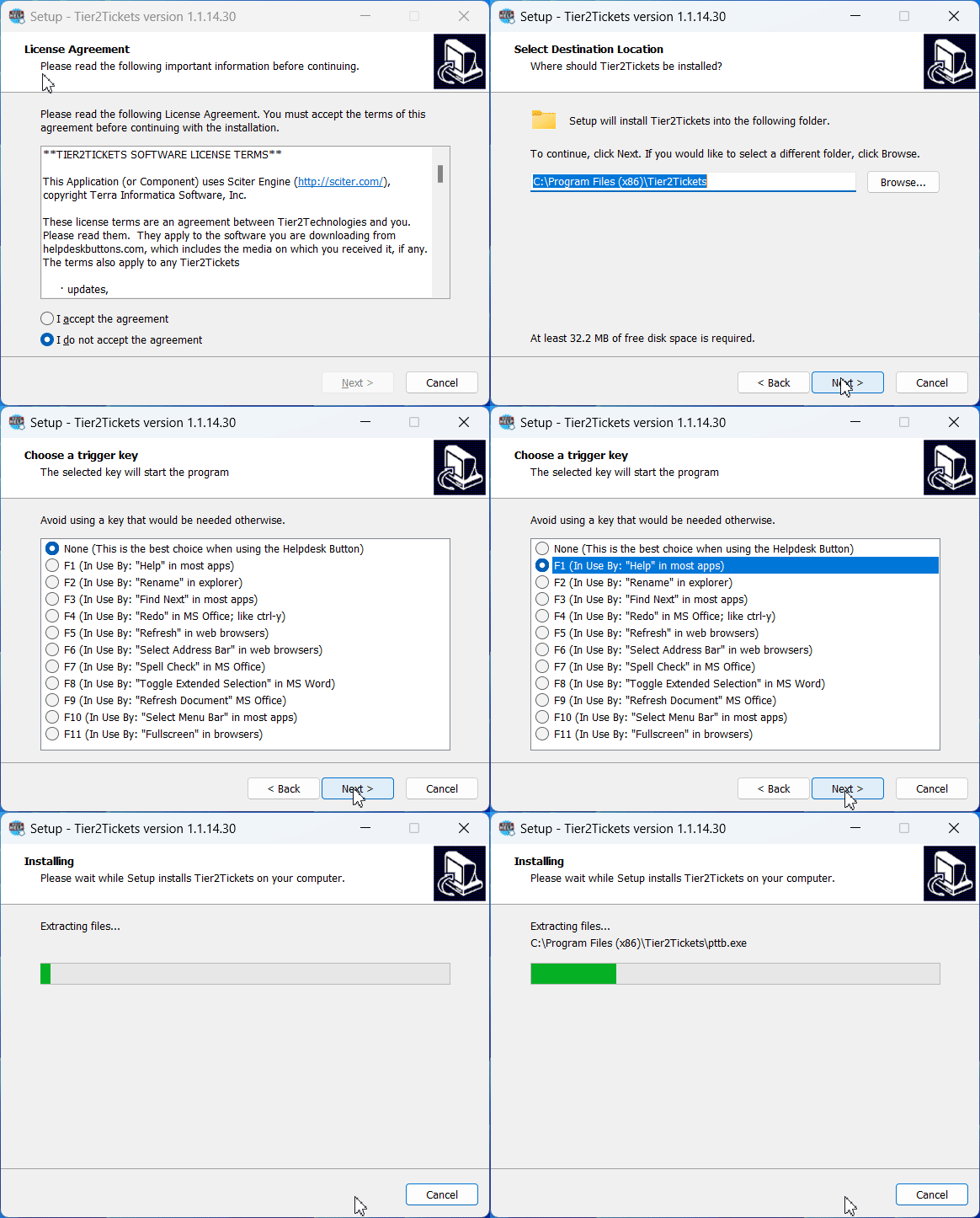
Follow the steps to complete the install.
NOTE: when asked what function key to apply to (F1-F12), select F1

It will ask to restart the computer, select βyesβ

Congratulations, it is now installed!
Next Up? Using it!
Follow the link below for instructions on submitting a ticket:
https://help.wrld.tech/en/articles/3-4-ways-to-submit-a-helpdesk-button-ticket

Also, never hesitate to reach out to our team! Contact us by emailing helpdesk@wrld.tech or calling 469.299.9598 (M-F) or by logging into your company portal at https://portal.wrld.tech
IT TEAM NOTES
Helpdesk Markdown for Deployment
# WRLD HelpDesk Button
### Ondemand Diagnostics and Support for the WRLD team
## Instructions:
1. Simply Click the 'Help' Icon on your Task Tray
> also located on desktop
2. Fill in required info, name and email will only needed once
3. Submit if no suggestions offered match or have been tried
For more info, contact WRLD.Tech Team @ helpdesk@wrld.tech or 469.299.9598