
Installing WRLD Support Agent
This agent will allow the WLRD support team to access your company computer and allow us to better serve you, whether it be onboarding assistance or other IT related queries.
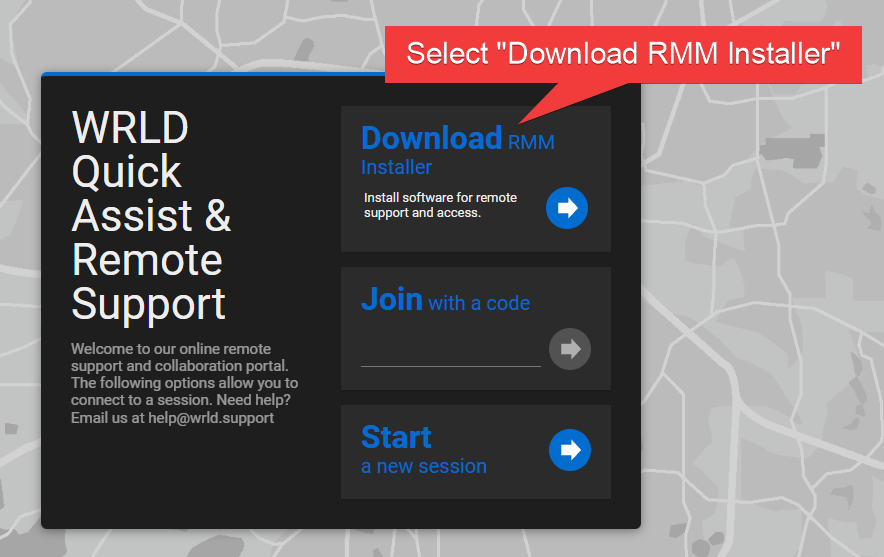
Go to wrld.screenconnect.com.
Select "Download RMM Installer."
Enter your company and tag as shown in the picture below.
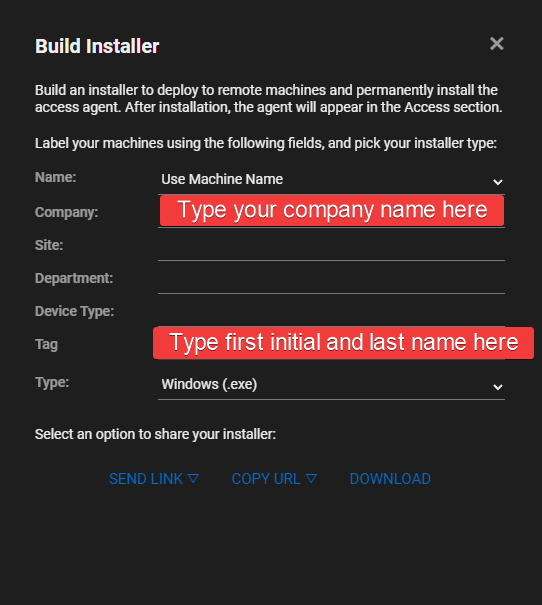
Under "Select an option to share your installer", click "Download."
In the downloads tray (for edge, it's in the top right) open the file once it's done installing.
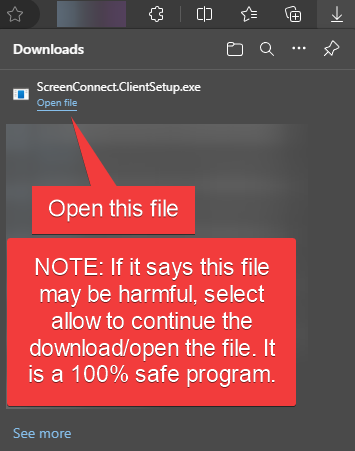
Select yes when it asks to allow the app to make changes.
From here, it should be installed onto your computer and you're good to go!